How to Remove Bad Reviews From Google My Business (Visual Guide)
By admin admin March 09, 2026
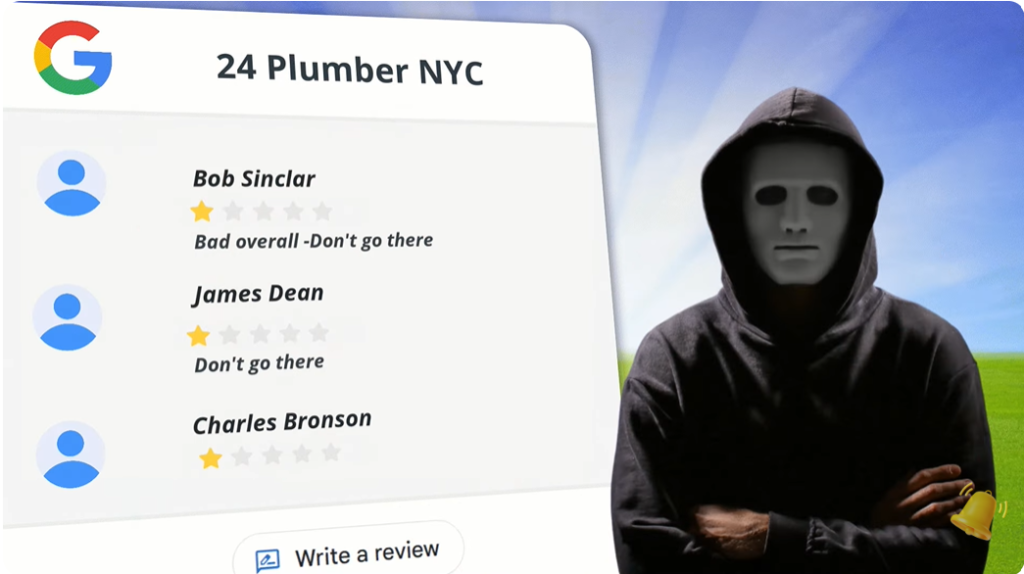
How to remove bad reviews from Google My Business is one of the most common questions business owners ask when they see a damaging one-star review appear on their profile. A single negative review can hurt your reputation, reduce trust, and discourage potential customers from contacting your business.
The reality is that online reviews strongly influence buying decisions. When someone searches for a service on Google Maps or checks your Google Business Profile, reviews are often the first thing they notice. This means one unfair or fake review can impact how people perceive your brand.
However, not every negative review can be removed. Google only removes reviews that violate its policies. If a real customer leaves honest feedback even if it is negative Google will usually keep it.
The good news is that there are legitimate ways to remove fake, misleading, or policy-violating reviews. In this guide, we’ll walk you through four proven methods to remove bad reviews from Google My Business step by step. This visual guide will help you understand exactly what to do and when to do it.
How to Remove Bad Reviews from Google My Business
Before trying to remove a review, you must understand Google’s review policies.
Google may remove reviews if they include:
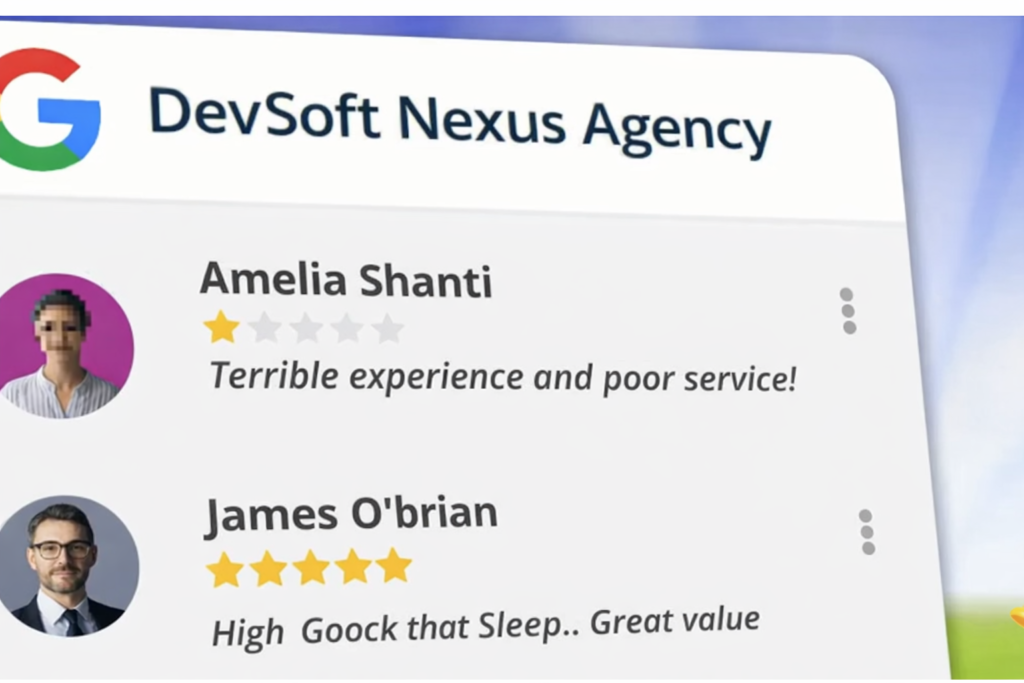
Fake reviews from people who never used your service
Reviews posted by competitors
Reviews from former employees
Review bombing attacks
Hate speech, harassment, or offensive language
Spam or promotional content
If a review violates these policies, you have a good chance of getting it removed.
If it does not violate policies, the best approach is to respond professionally and gather more positive reviews.
Businesses that invest in strong local SEO strategies usually manage reviews better and improve their overall reputation. If you want to improve visibility, this guide onhow to do local SEO marketing explains the foundation of local search growth.
Now let’s explore the four methods to remove negative Google reviews.
Method 1: Flag the Review from Your Google Business Profile
The first and simplest method to remove bad reviews from Google My Business is flagging the review directly from your listing.
Step 1: Log into Your Google Business Profile
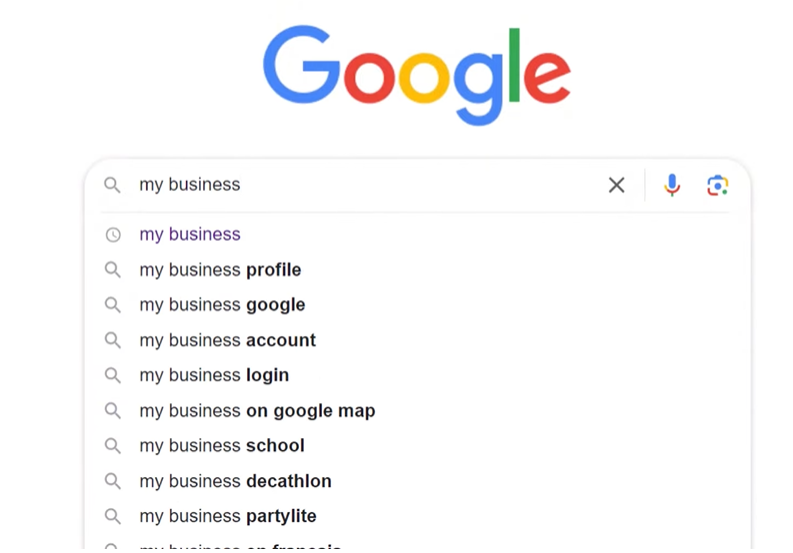
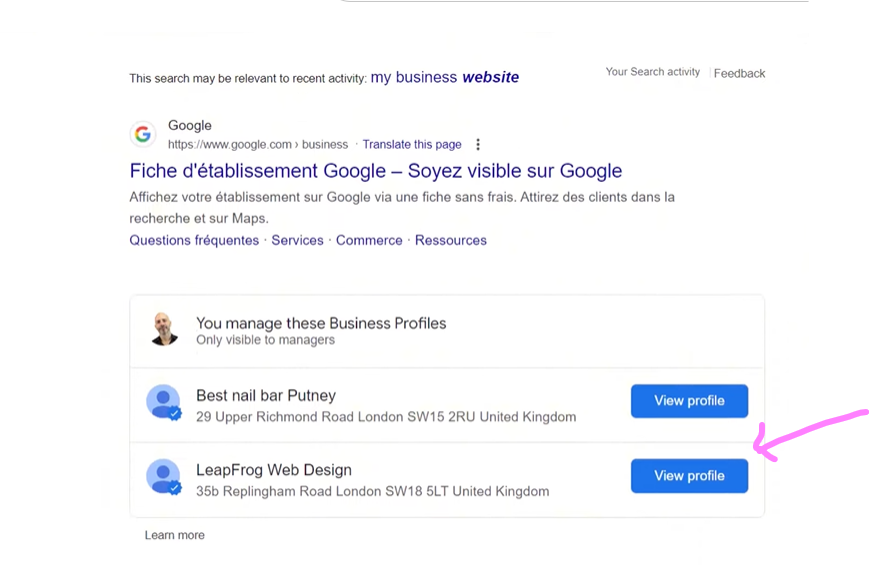
Open Google and search:
Write in bar “My Business”
Then click View Profile.
If you manage multiple locations, select the correct business profile.
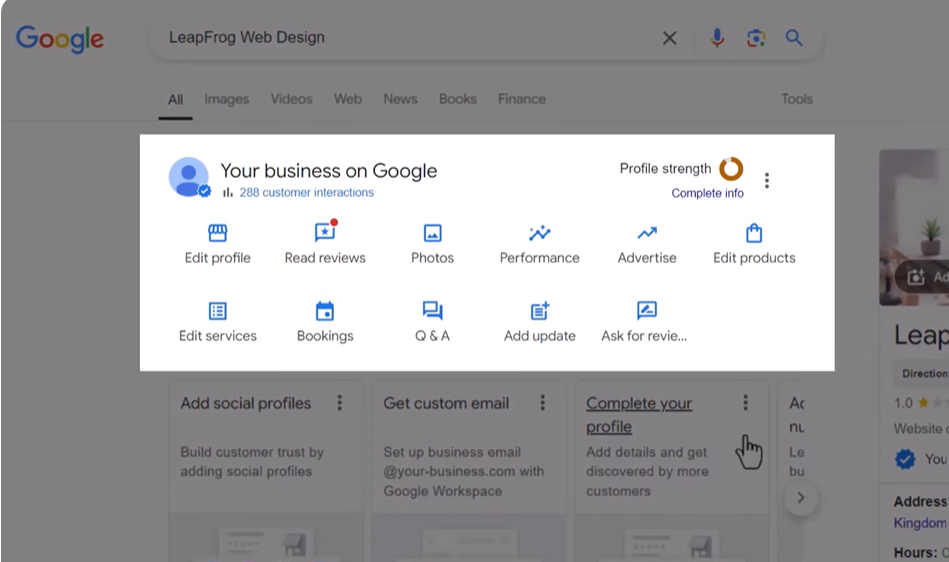
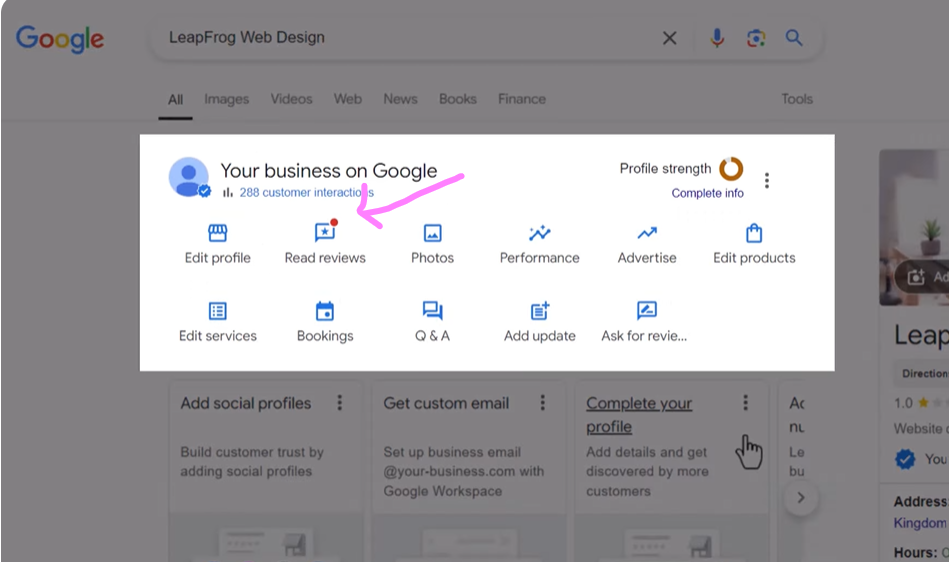
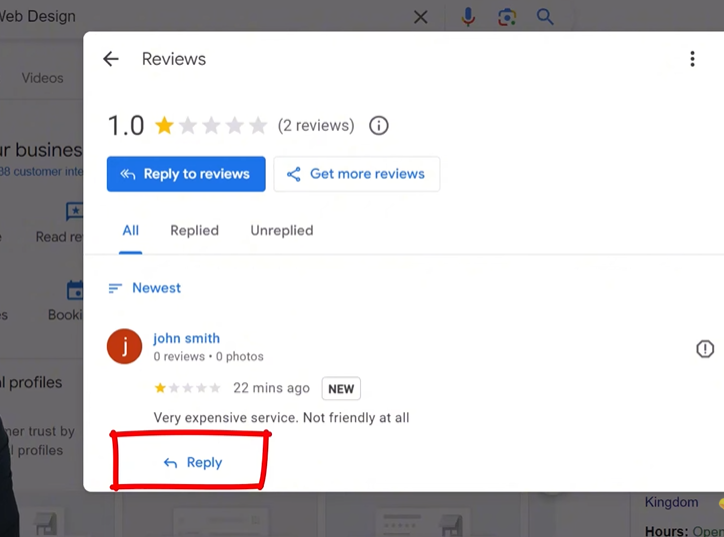
Step 2: Go to the Reviews Section
Click Read Reviews to open all reviews on your profile.
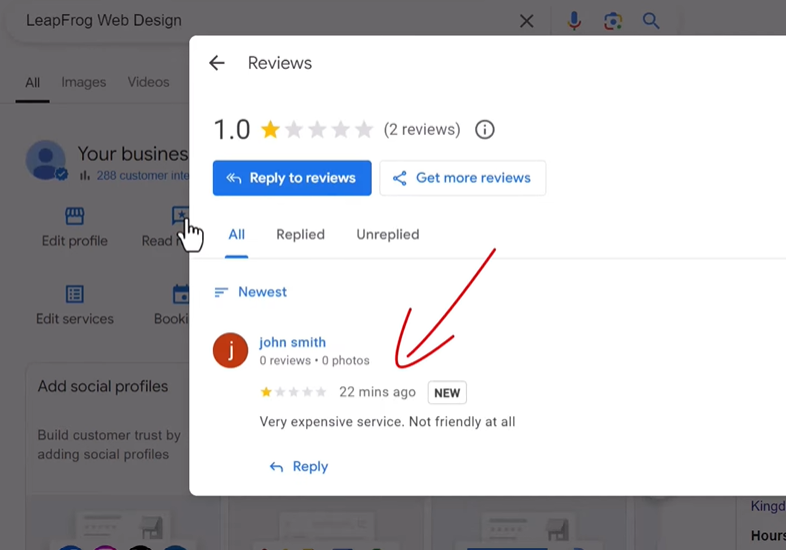
Find the negative review you want to remove.
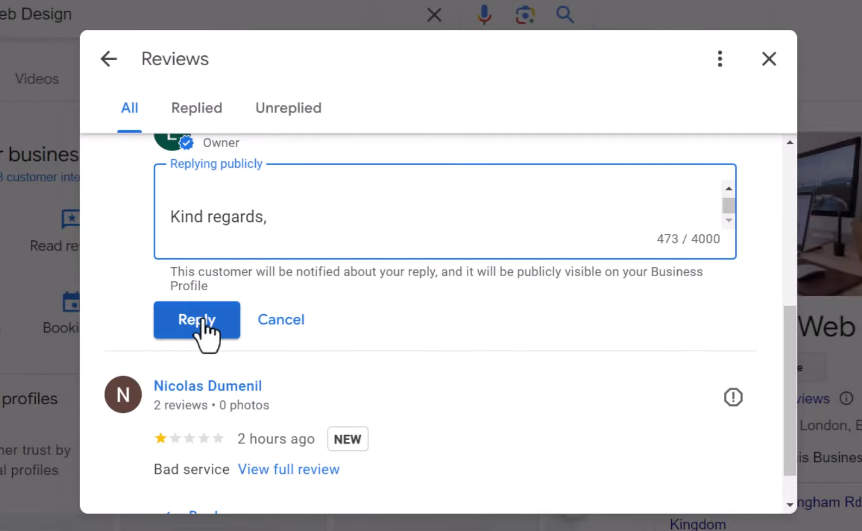
Step 3: Respond to the Review First
Before reporting the review, it’s important to respond.
Why?
Because while Google reviews your removal request, the review is still visible to potential customers.
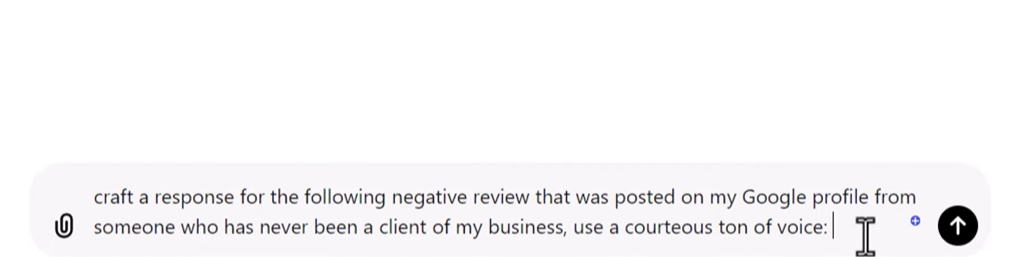
Responding professionally shows that you care about feedback. Simply Go to chat gpt and try to write a professional reply to negative review.
Example response:
Stay calm and polite
Clarify the situation
Offer to resolve the issue
Copy the response of Chatgpt and paste in the reply of the negative review.
If the review is fake, you can politely mention that the person was not a customer.
Step 4: Report the Review
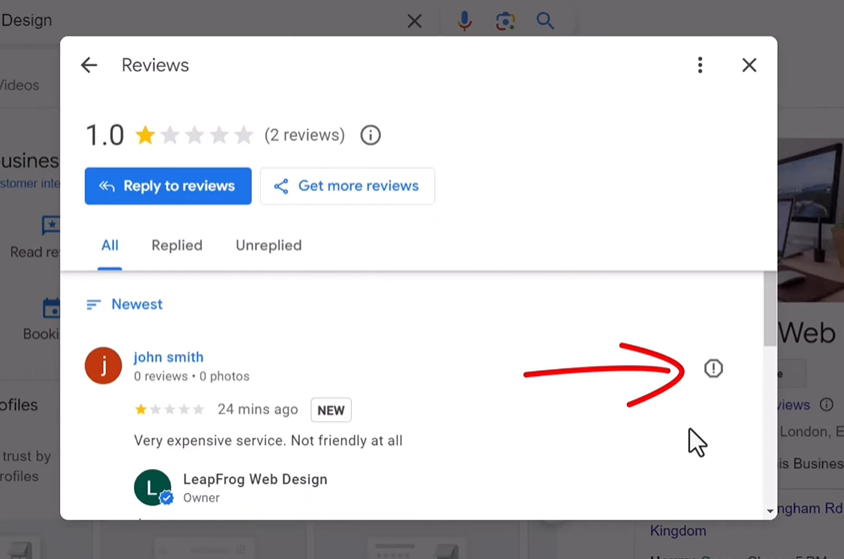
Next to the review, click the three dots or exclamation icon.
Select Report Review.
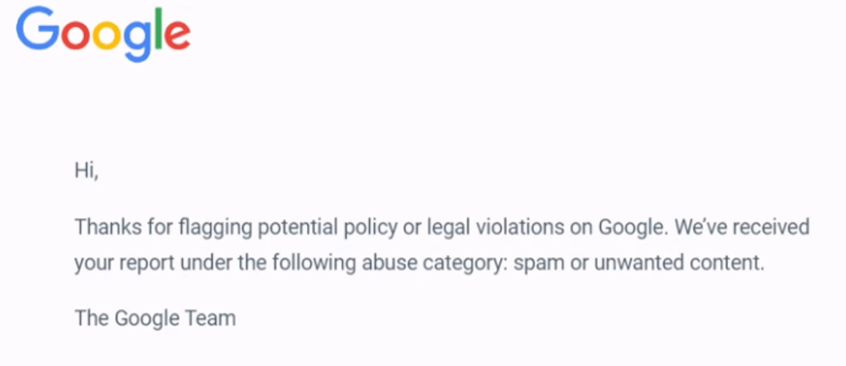
Google will ask you to choose a reason such as:
Spam
Conflict of interest
Offensive content
Fake review
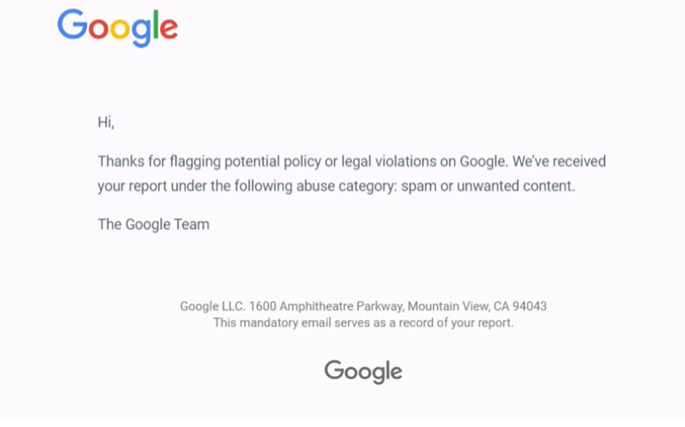
Submit the report.
Google usually reviews the request within three business days.
However, reporting alone does not guarantee removal unless the review clearly violates policies.
Method 2: Use the Google Review Removal Tool
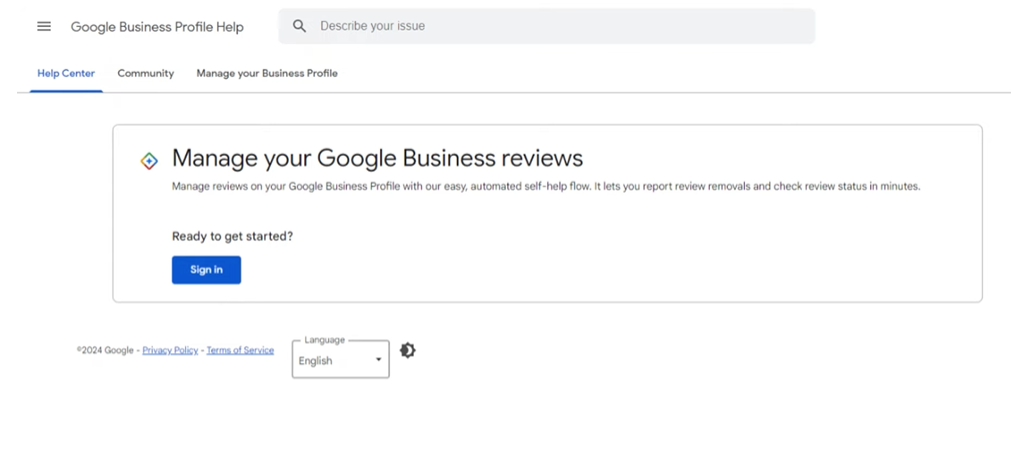
Google has introduced a dedicated tool for reporting and tracking review removal requests.
This method is often more effective than simply flagging the review.
Step 1: Open the Review Removal Tool
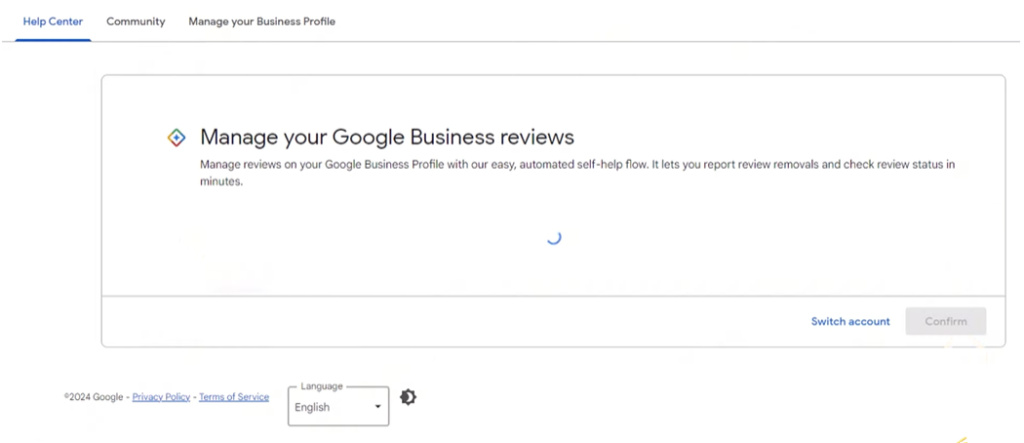
Log into the Google account connected to your business profile.
Then open the Google Review Removal Tool.
Step 2: Select Your Business Profile
Your account should connect to email.
Click Continue.
After choosing the business you need to go for checking for already appeal in progress.
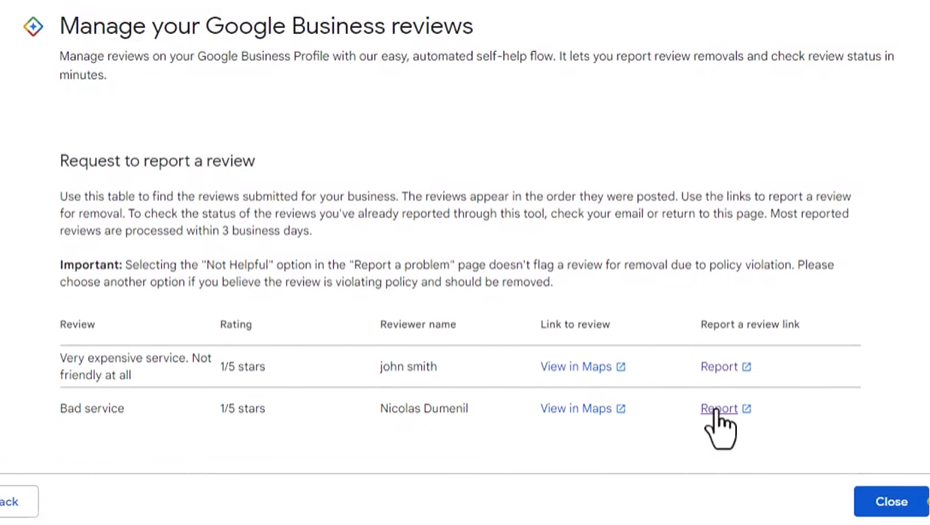
Step 3: Report a New Review
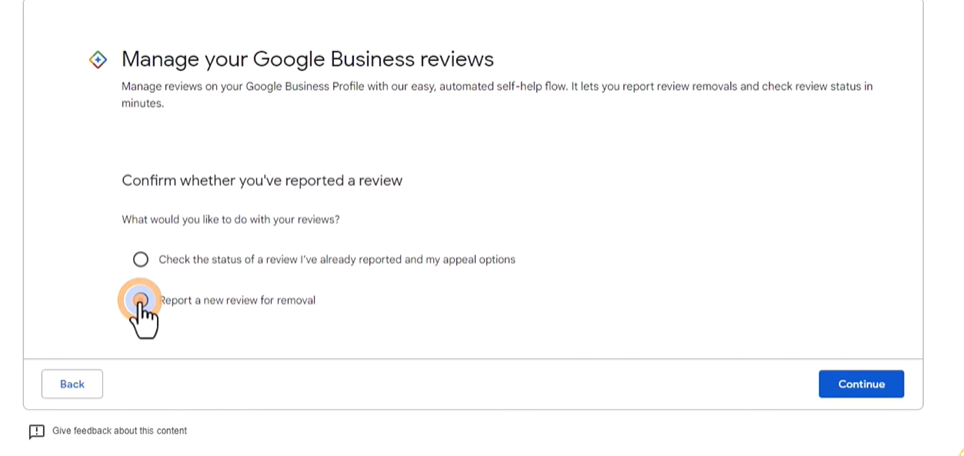
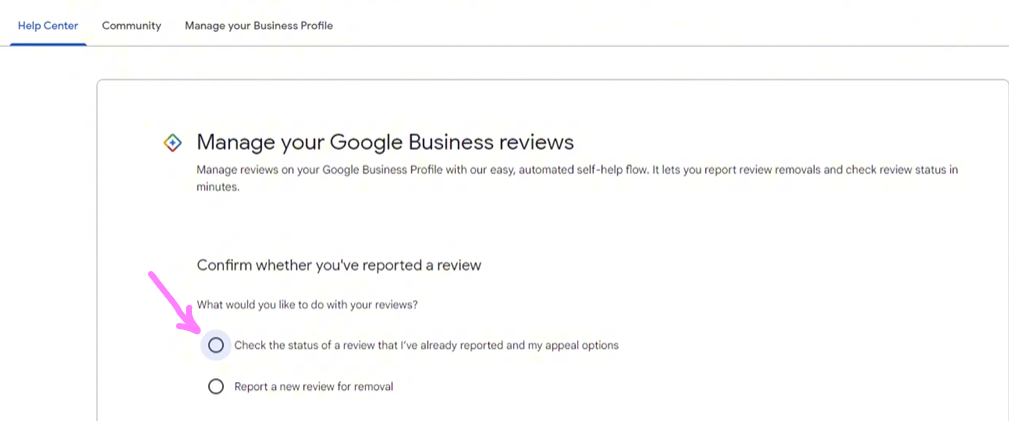
Select:
Report a new review for removal
Then find the review you want to remove.
Click Report.
Next choose the bad reveiw you need to report
Step 4: Wait for Google’s Decision
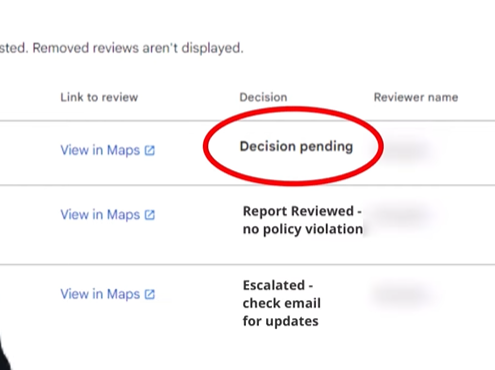
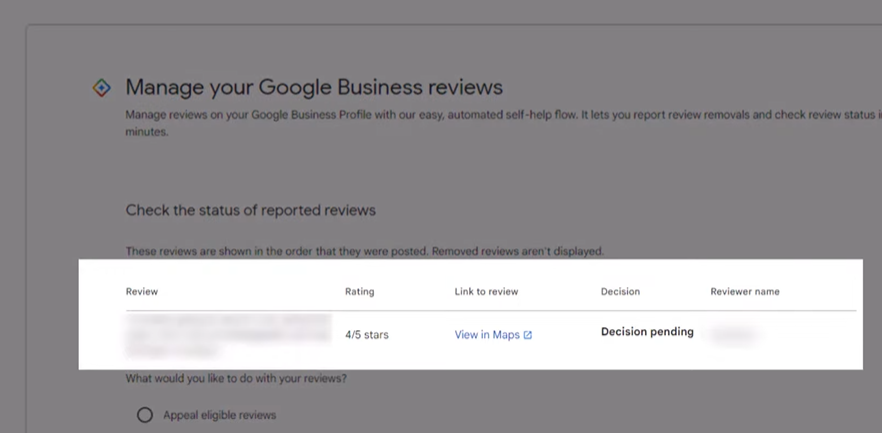
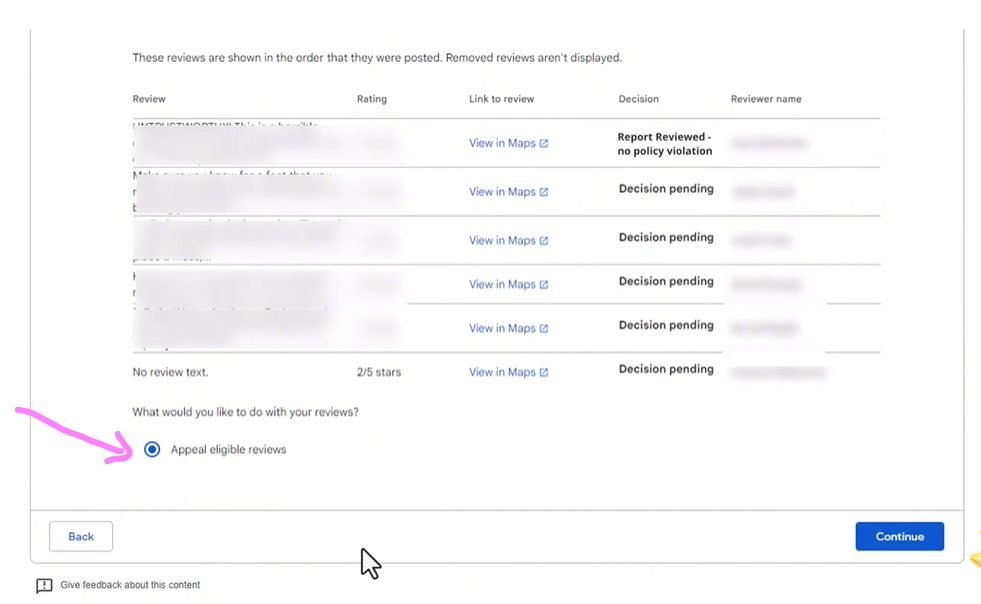
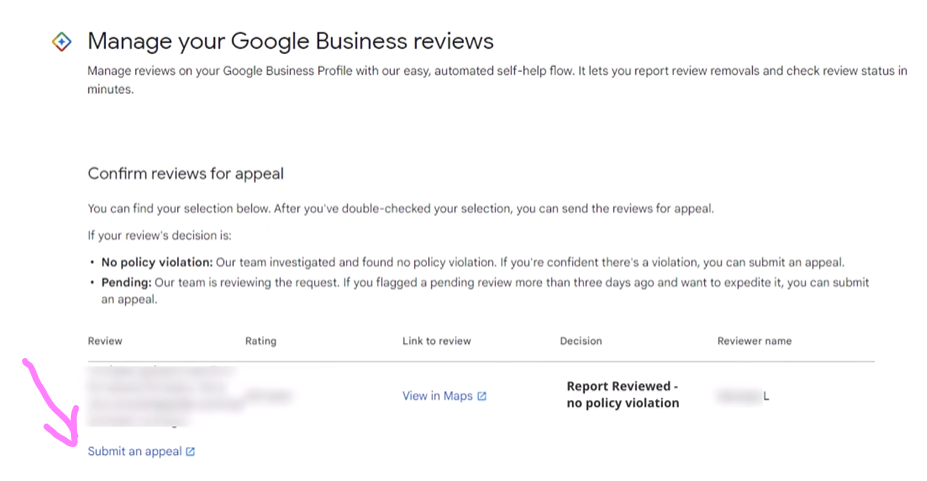
Google will review the report and show one of three statuses:
Decision Pending Google is still reviewing the report. Check the status of your already been reported review by just clicking on the first option
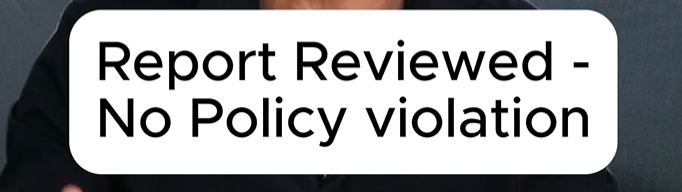
Report Reviewed – No Policy Violation Google decided the review does not break its guidelines.
Escalated Your appeal is being reviewed.
Using this tool allows you to track the removal request more easily.
Businesses working with DevSoft Nexus often use this tool as part of their reputation management strategy.
Method 3: Appeal Google’s Decision
Sometimes Google refuses to remove a review even if it seems unfair.
In this case, you can submit an appeal.
Step 1: Go Back to the Review Removal Tool
Log into the same tool used earlier.
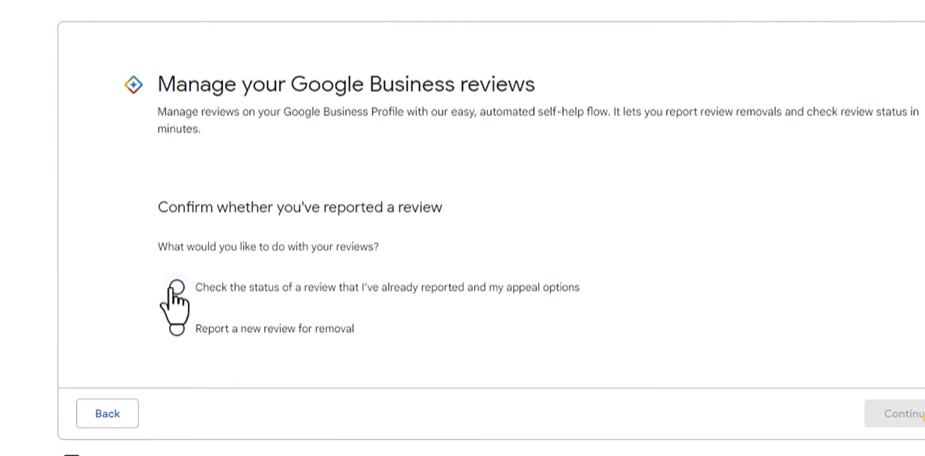
Select:
Check the status of a review I reported
Step 2: Choose the Review
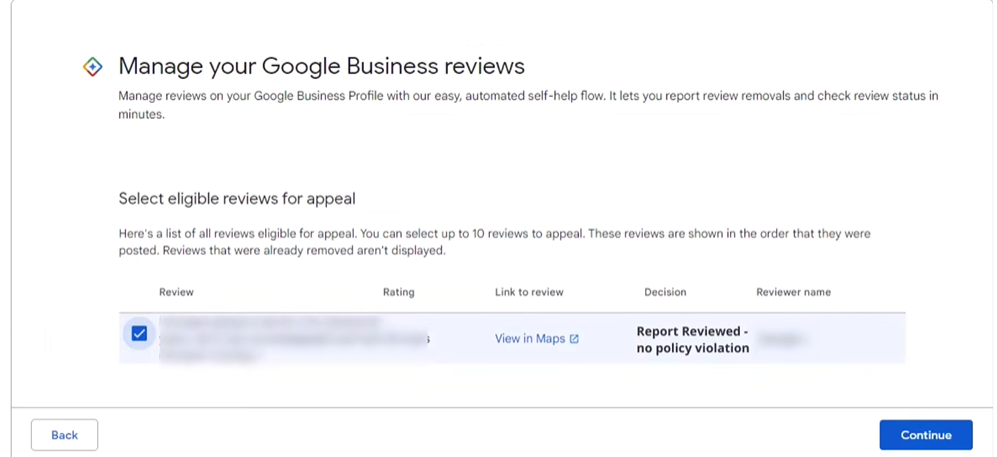
If the review shows No Policy Violation, you may see an option to appeal.
Click Submit an Appeal.
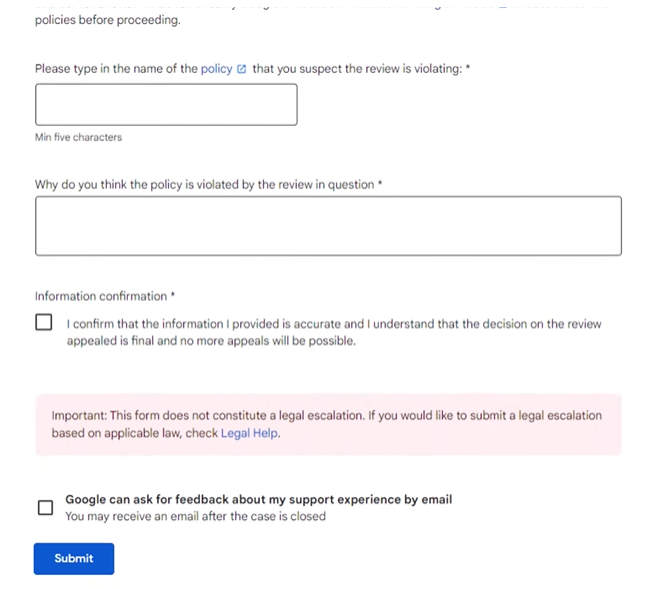
Step 3: Provide Additional Context
Explain why the review violates Google’s policies.
Include details such as:
The reviewer was never a customer
The reviewer is a former employee
The review contains false information
You can provide supporting evidence if available. Fill out this form
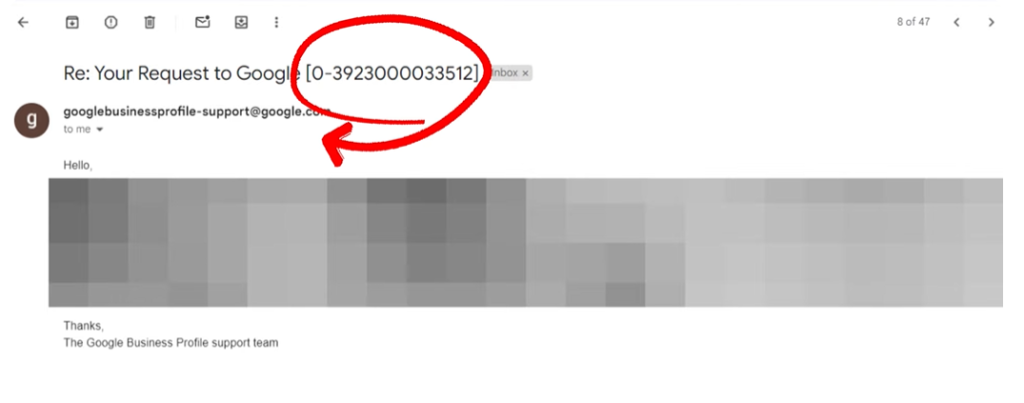
After submitting the appeal, Google will send you a case ID via email.
Keep this number for tracking.
Step 4: Wait for Google’s Response
Google typically responds within a few days.
If the appeal is successful, the review will be removed.
If not, there is still one more option.
Method 4: Contact Google Business Profile Community Support
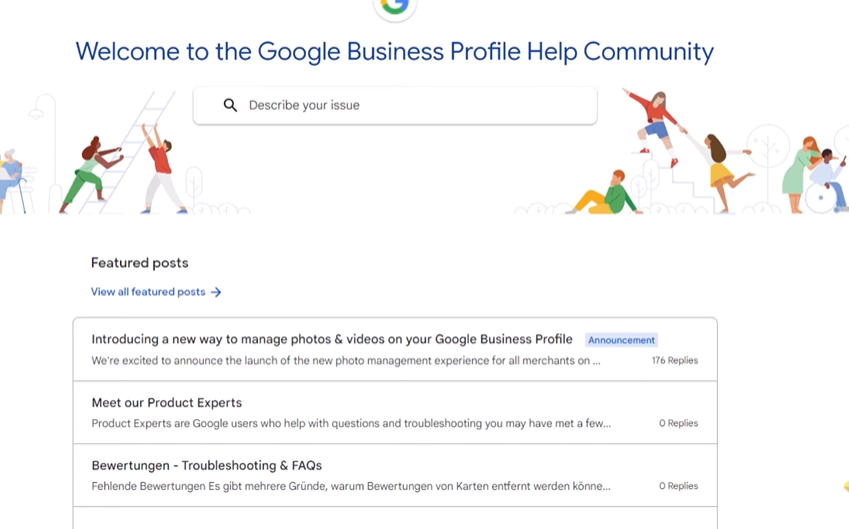
If Google still refuses to remove the review, you can try the Google Business Profile Community Forum.
This is the final escalation method.
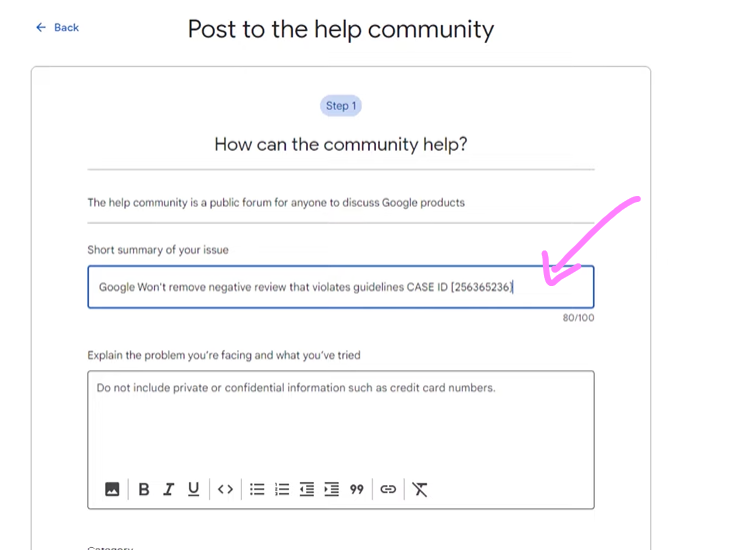
Step 1: Visit the Google Business Profile Community Forum
Go to the forum and create a new post.
Explain your situation clearly.
Step 2: Provide the Case ID
Include the case ID number you received from Google when you submitted the appeal.
This helps moderators review your request.
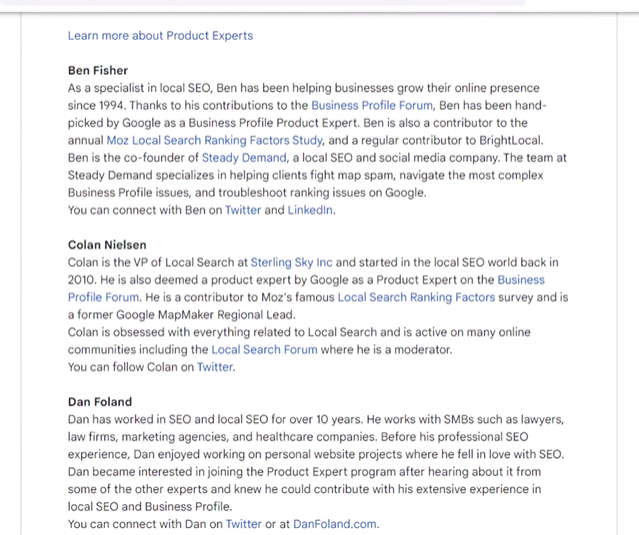
Step 3: Wait for a Moderator
Volunteer moderators in the forum may escalate your issue directly to Google.
While this method does not always guarantee removal, it has helped many businesses resolve review disputes.
What to Do If Google Does Not Remove the Review
Sometimes reviews remain even after multiple attempts.
If that happens, don’t panic.
Here are some strategies to reduce the impact.
1. Contact to Devsoft Nexus Digital Marketing Agency
Devsoft Nexus is the leading software agency that helps local businesses to rank higher with certified experts. If you have negative reviews on your google business profile its experts will definitely remove your negative reviews very professionally.
You are highly recommended to choose them for every difficulty you are facing while getting good revenue from local businesses.
2. Respond Professionally
A thoughtful response can actually build trust with customers.
Many people read the business owner’s response before judging the review.
3. Get More Positive Reviews
The best way to reduce the impact of negative reviews is to collect more positive ones.
Encourage happy customers to leave reviews.
Reviews with photos and detailed feedback often appear higher in the review section.
4. Strengthen Your Local SEO
A strong local SEO strategy helps improve visibility and attract new customers.
Understandinghow local SEO works can help you build credibility and reputation online.
5. Improve Your Google Business Profile
Optimizing your profile helps build trust and increase engagement.
On-page optimization also plays a role in visibility. Learn whyon-page SEO is important for improving search rankings.
6. Improve Your Google Maps Rankings
Businesses that rank higher on Google Maps often receive more positive reviews.
Online reviews are a major ranking factor for local businesses.
Positive reviews improve:
Trust
Click-through rates
Local rankings
Customer conversions
If you want professional help managing reviews and improving your business visibility, working with aLocal SEO Company Dubai can help protect and grow your online reputation.
At DevSoft Nexus, we help businesses to remove the negative reviews, manage reviews, optimize Google Business Profiles, and improve local search visibility.
Final Words
Negative reviews are part of running a business, but fake or unfair reviews should not damage your reputation.
Now you know how to remove bad reviews from Google My Business using four proven methods:
Flag the review from your profile
Use the Google Review Removal Tool
Appeal Google’s decision
Contact the Google Business Profile community
If removal is not possible, focus on professional responses and collecting positive reviews. But Devsoft Nexus will remove negative reviews on your google business profile. You need not worry. Managing your online reputation effectively can protect your brand and help your business grow.
Frequently Asked Questions
1. Can I delete bad reviews from Google My Business?
You cannot directly delete reviews yourself. However, you can report reviews that violate Google’s policies and request removal.
2. How long does Google take to remove a review?
Google usually reviews flagged reviews within three business days, but complex cases may take longer.
3. What types of reviews does Google remove?
Google may remove reviews that contain spam, fake content, hate speech, harassment, or conflicts of interest.
4. Can competitors leave fake Google reviews?
Unfortunately yes. Competitors sometimes leave fake reviews. If this happens, report the review and explain why it violates Google’s guidelines.
5. What should I do if a review cannot be removed?
Respond professionally, resolve the issue if possible, and encourage more satisfied customers to leave positive reviews.

 By admin admin
March 09, 2026
By admin admin
March 09, 2026